$ cat posts/flutter-android-emulator-not-showing.md
Android Devices Not Showing on Flutter Project
A fix for new Flutter project that doesn't have Android devices showing up
New Flutter project in Android Studio. Real device plugged in, AVDs configured, everything showing in Device Manager — and the device dropdown in the run toolbar is completely empty.
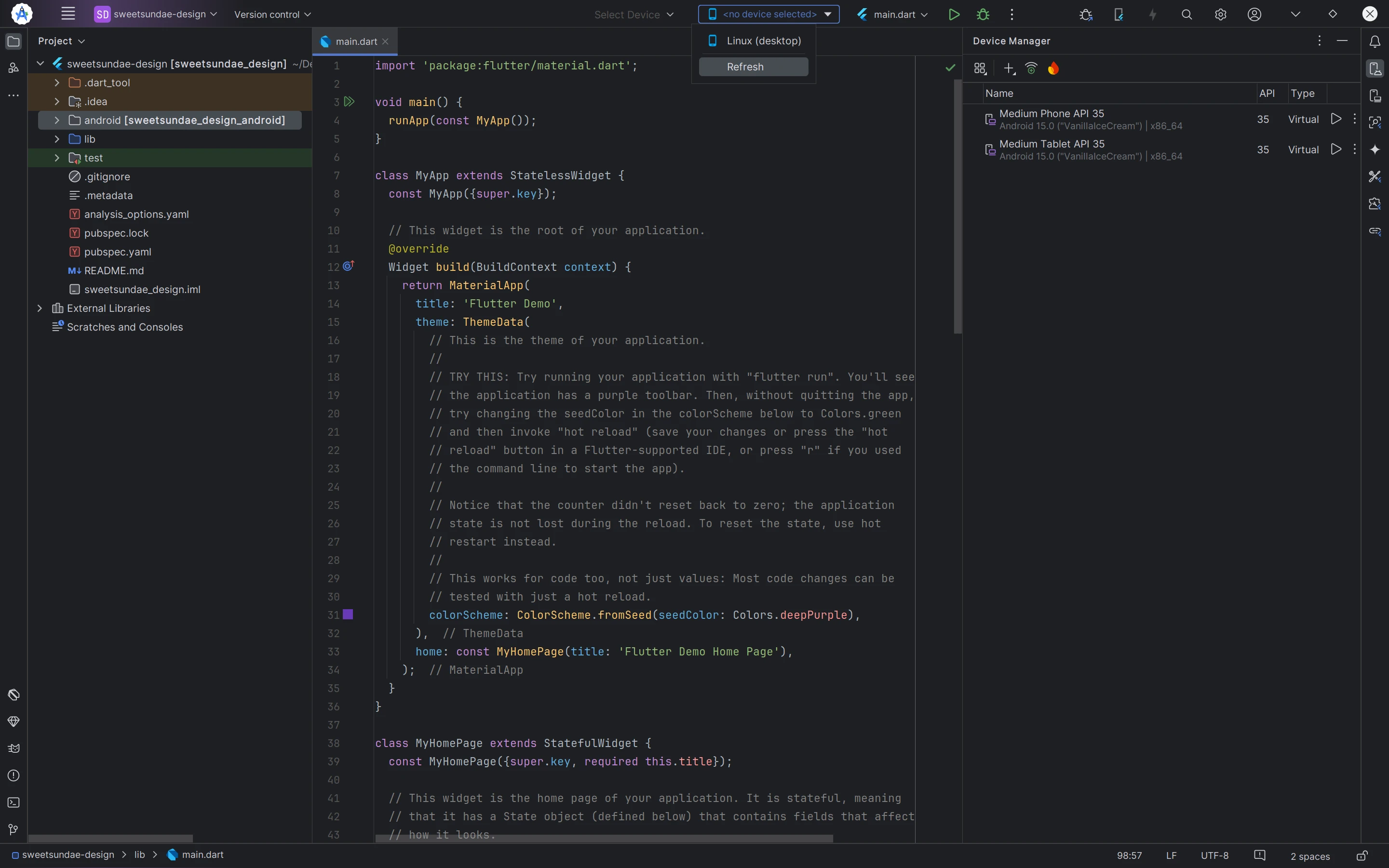
Open File > Project Structure (Ctrl + Alt + Shift + S).
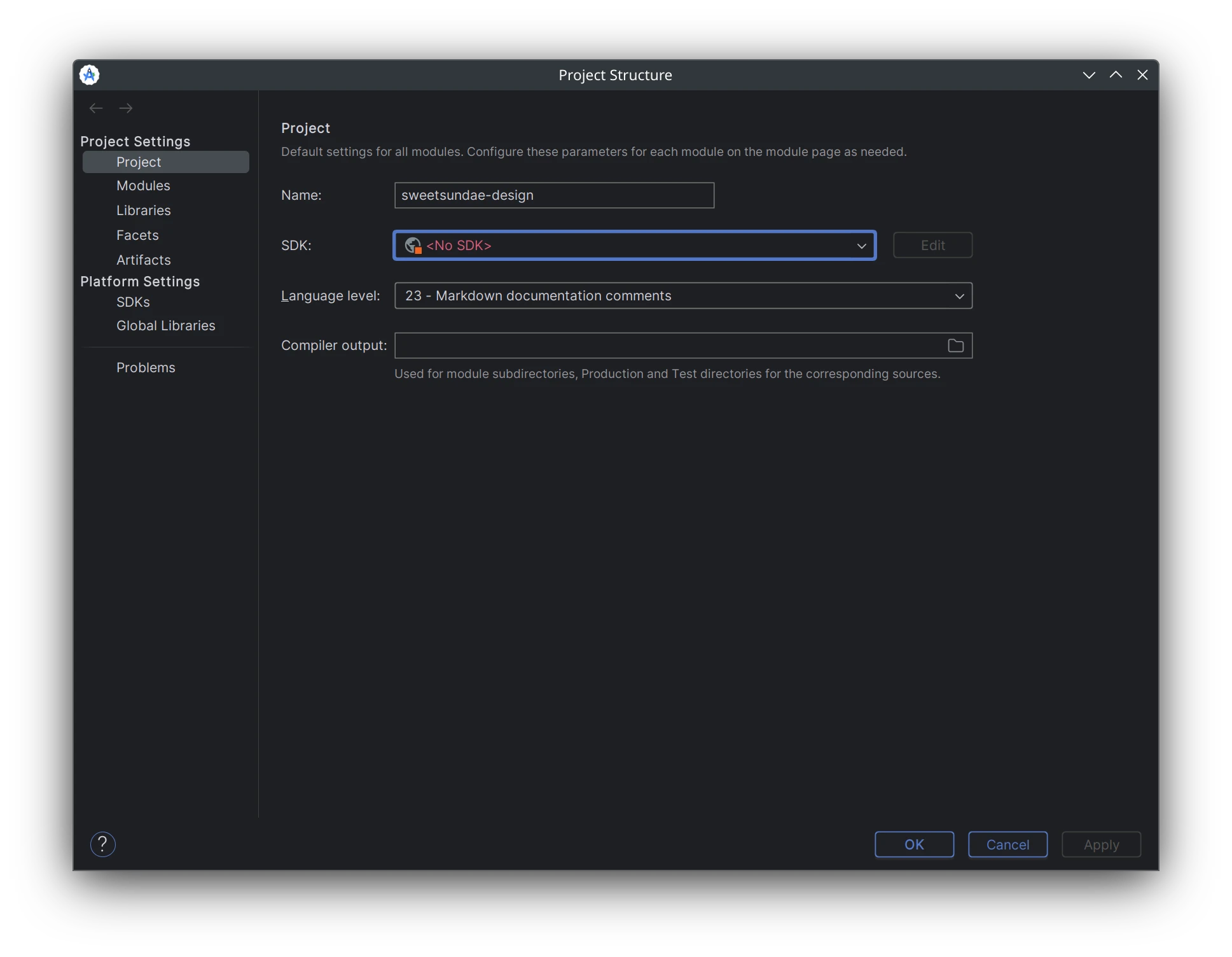
No Android SDK is selected for the project. Pick one from the list and click OK.
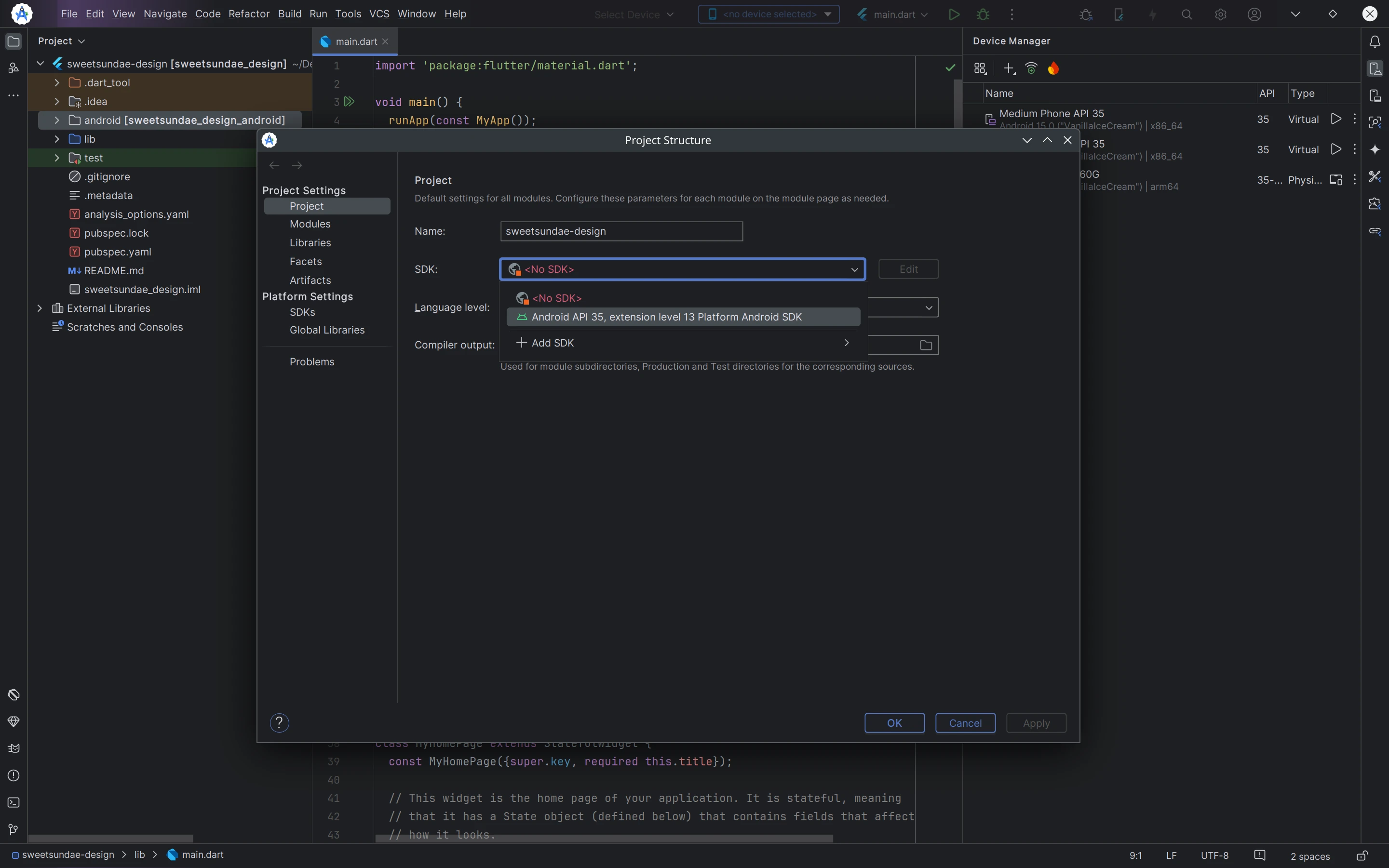
That’s it. All devices appear immediately — no restart required.